
One app for everything you're trying to build.
Organize your goals with nested tasks and habits, your reading pace, and your spending. All ad-free, all in one place, with home screen widgets so you barely have to open it.
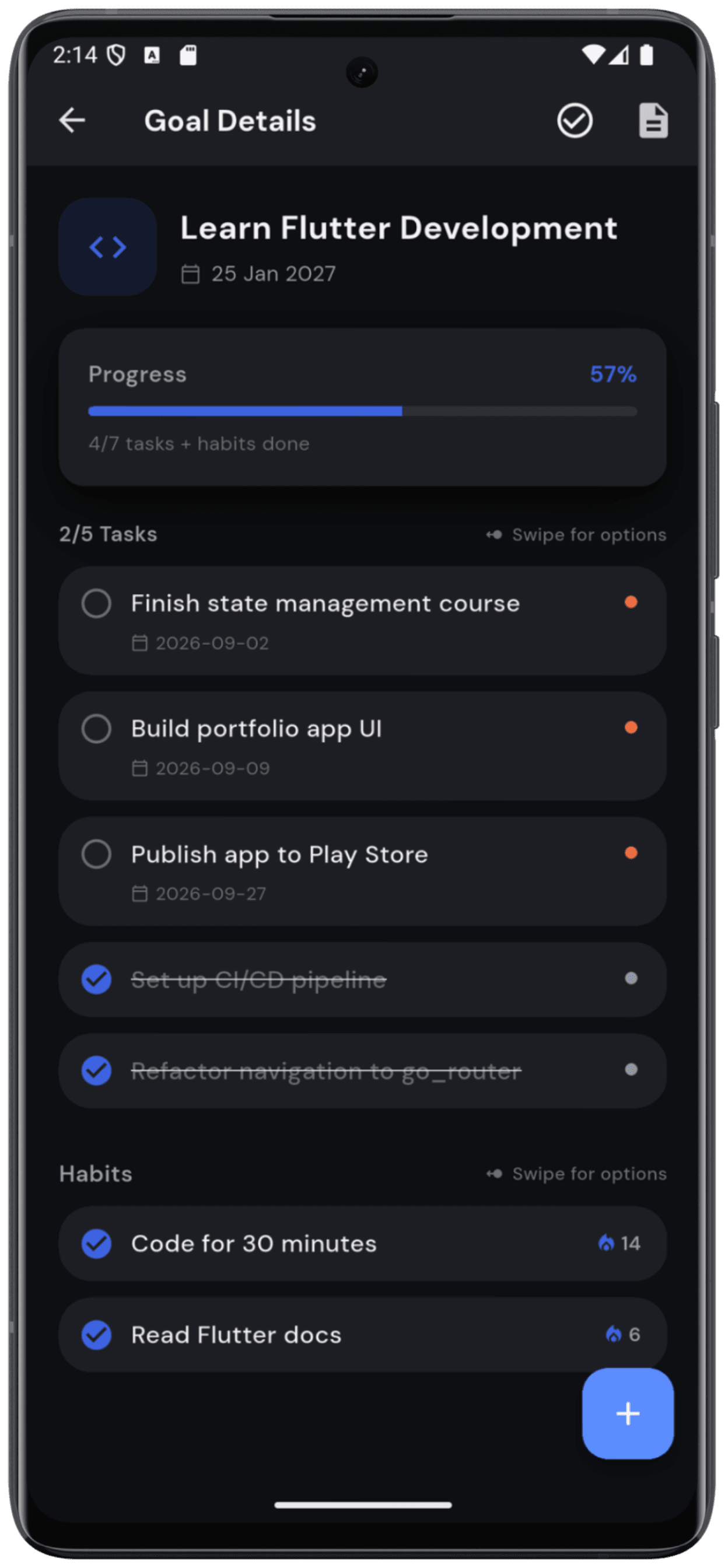
Every goal, broken down for you
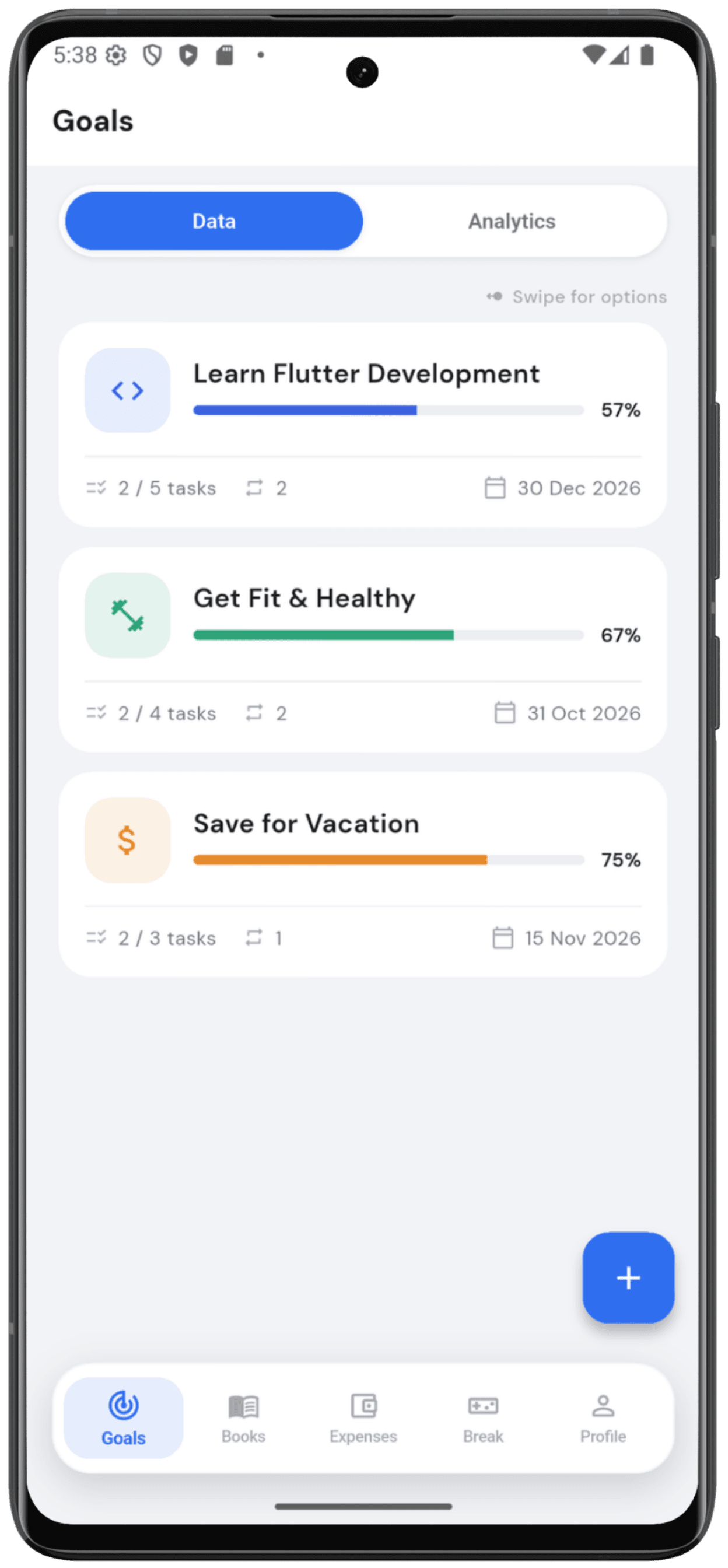
Create a goal, then attach as many tasks and habits to it as you need. Watch one progress bar build automatically as you check things off.
- Deadlines and priority on every task
- Streaks that carry across weeks
- One progress % for the whole goal
Streaks you can actually see
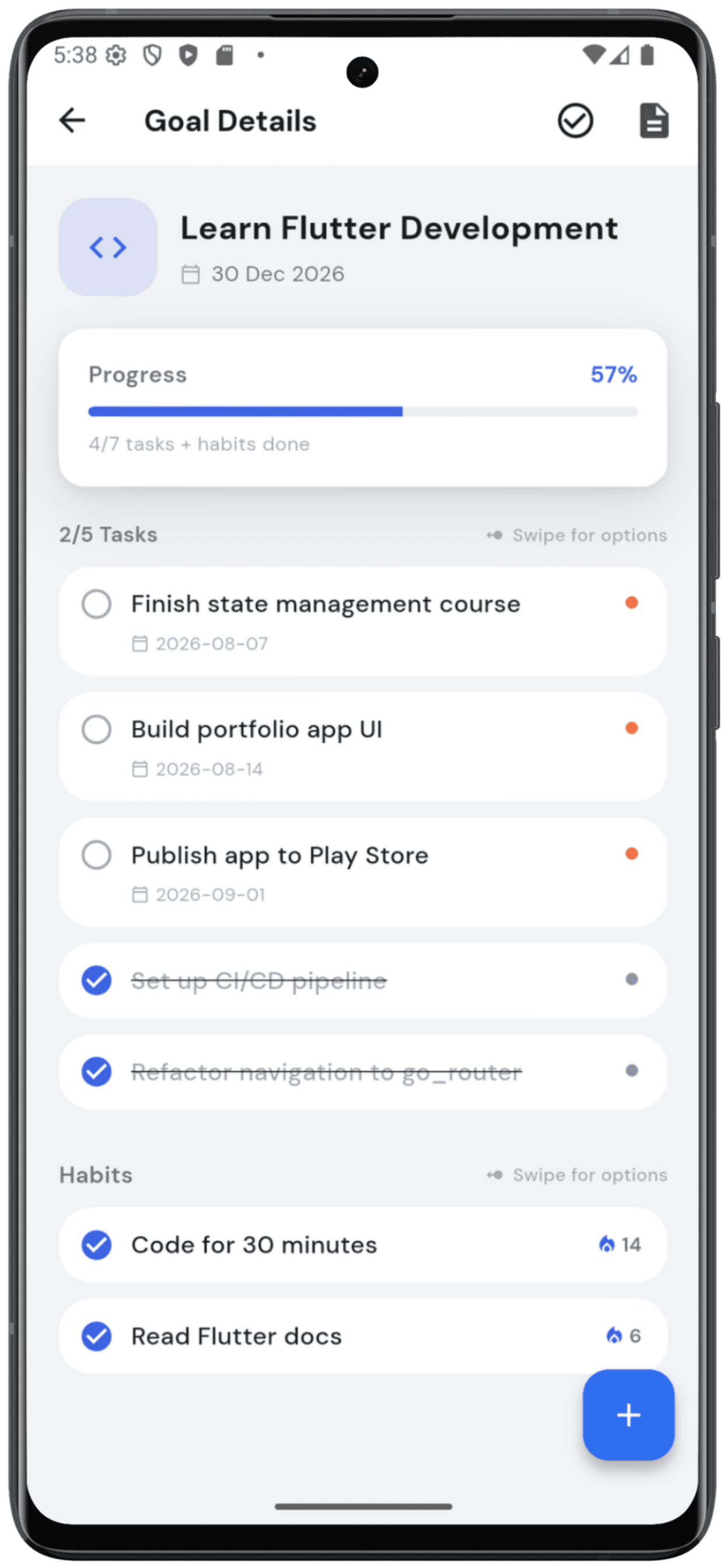
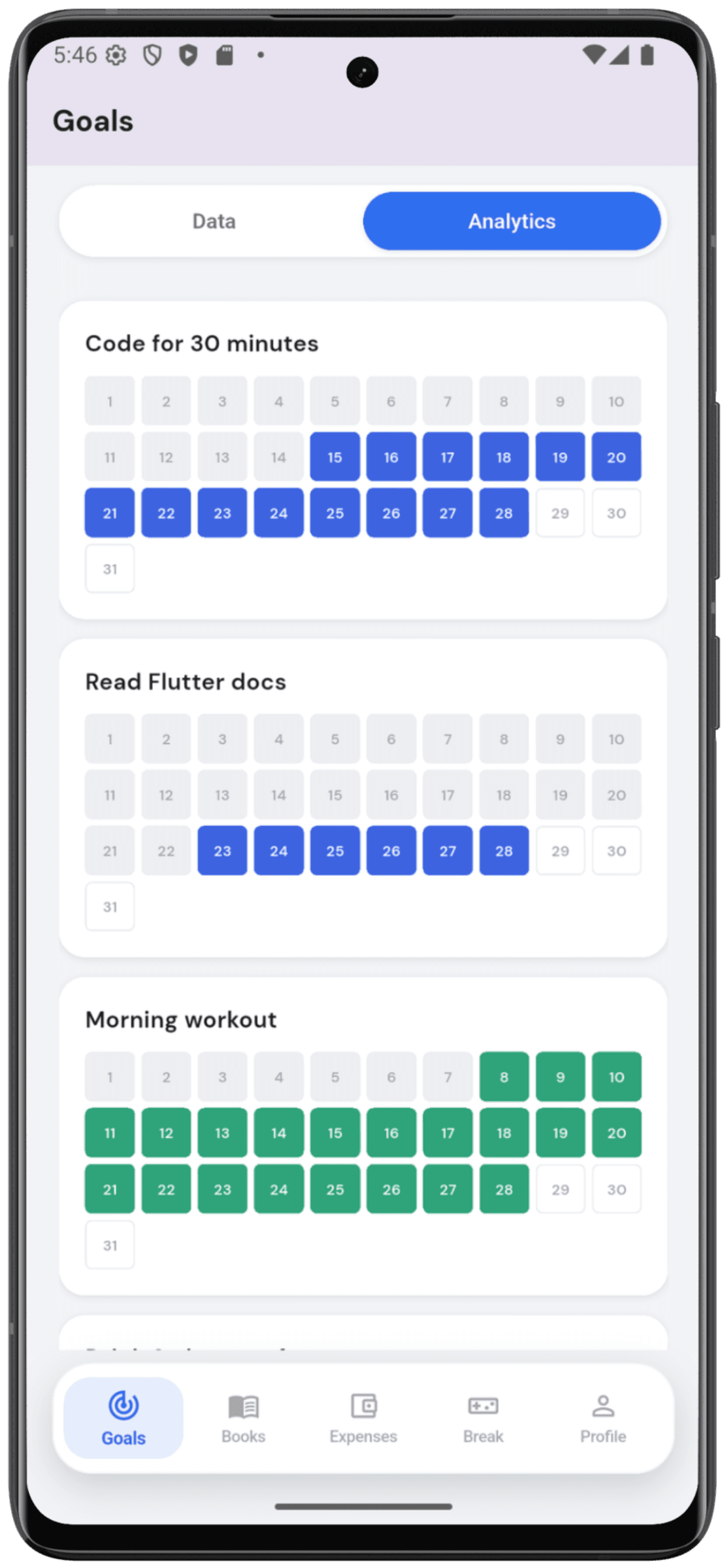
A full month laid out as a heatmap, so a habit's history is never just a number. It's something you can watch fill in, day by day.
- Daily streak counter
- Month-at-a-glance heatmap
- Tied to the goal it supports
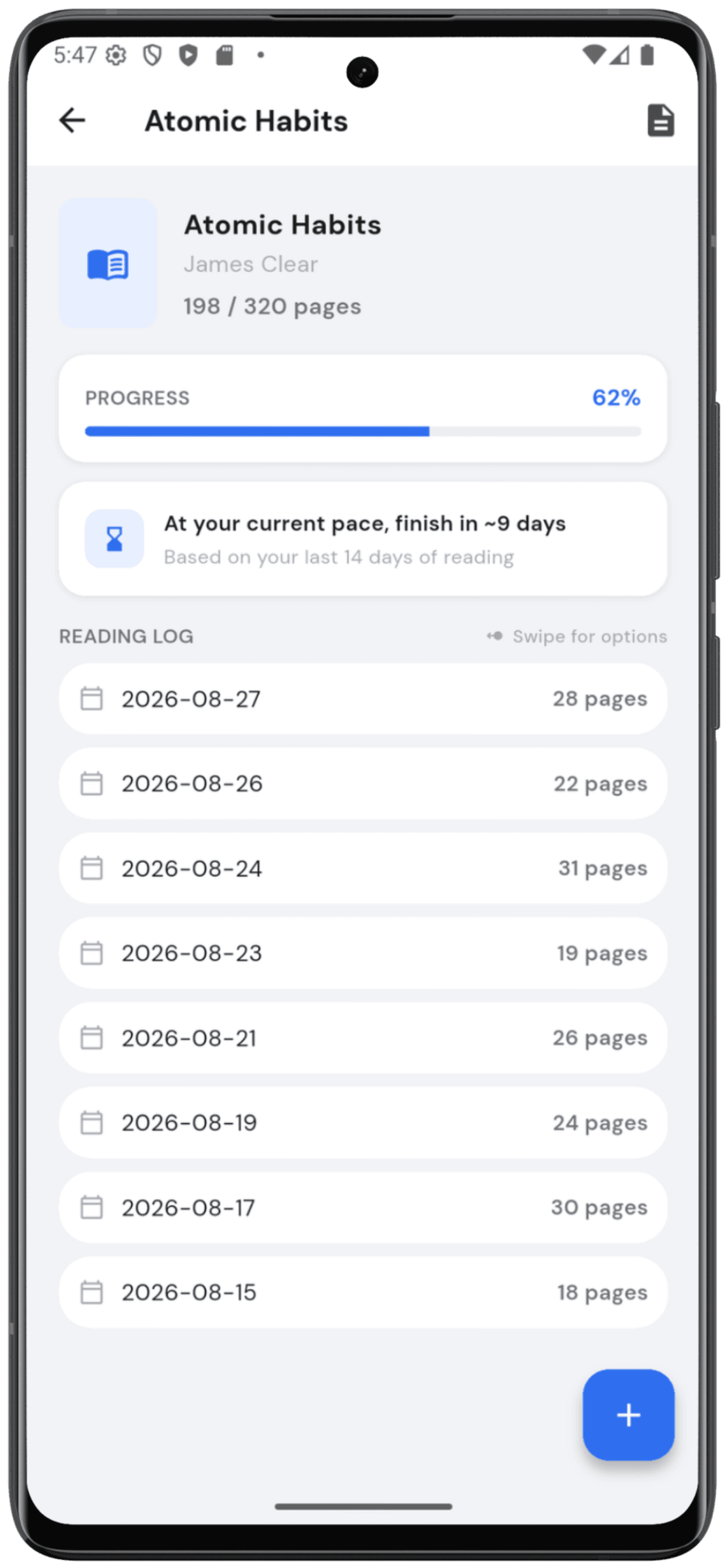
A finish line for every book
Log pages as you read, and Lifegram works out a real finish date from your actual pace over the last two weeks, not a guess.
- Page-by-page reading log
- Pace-based finish estimate
- Cover photos and progress bars
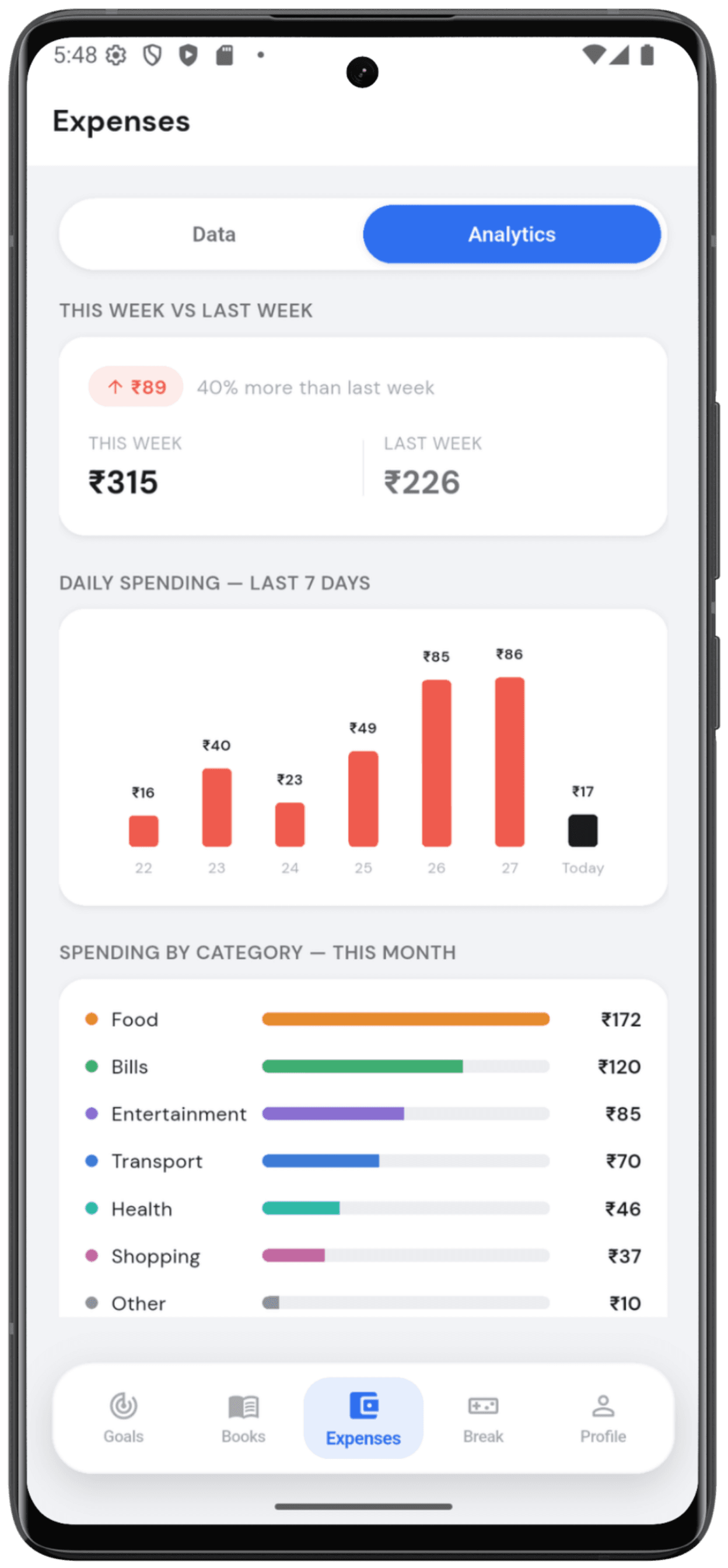
Know before the month gets away from you
See this week against last week at a glance, a 7-day spending chart, and where your money's actually going by category.
- This week vs. last week, instantly
- 7-day daily spending chart
- Full category breakdown
Check in without opening the app
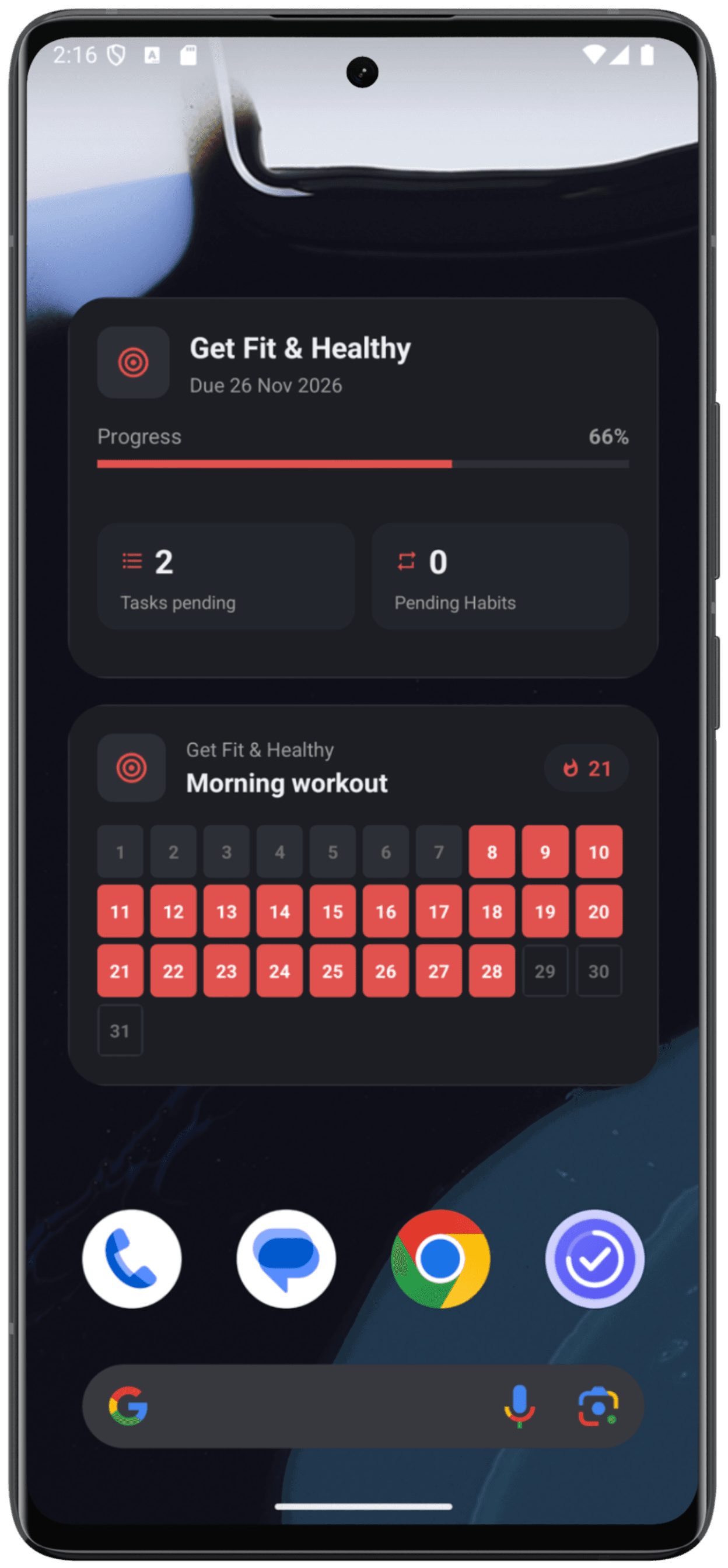
Pin your top goal, today's tasks, a habit streak, your spending, or a book's progress straight to your home screen.
- 5 native widgets
- Goal, Task List, Habit, Expense & Book
- Always in sync with the app
Share tasks with the people who matter
Connect with family, roommates, or a partner, and keep a shared list of who's doing what, in sync in real time.
Connect with a 6-digit code
Share your code, they enter it, you're linked. No account setup beyond signing in with Google.
Assign, complete, and nudge
Hand a task to someone in your Circle, and give it a friendly nudge if it's still sitting there.
Its own home screen widget
Shared Tasks gets a dedicated widget too, and it's free for everyone, no Premium required.
Need sixty seconds to reset?
Gridfall, a built-in Tetris-style game, is one tap away, so a break stays a break instead of a scroll spiral into something else.
Looks great, day or night.
Lifegram follows your system theme automatically, no toggle to dig for, no jarring white screen at midnight.
Questions, answered.
Is Lifegram free?
Yes. You can create goals, tasks, habits, books, and expenses for free, and Shared Tasks (Circle) is free too. Premium removes the tracker limits and unlocks widgets, System Lock, and Google Drive backup with a single one-time purchase, no subscription.
Is my data private?
Your goals, tasks, habits, books, and expenses are stored on your device. If you turn on Google Drive backup, that data is saved to your own Google account's private app storage, and Lifegram never has access to it. Shared Tasks (Circle) is different since it needs a server to sync between connected people, see our Privacy Policy for exactly what that involves.
Does Lifegram work offline?
Your goals, tasks, habits, books, and expenses all work offline. An internet connection is needed for Google Drive backup and for Shared Tasks (Circle), since that feature syncs between connected people in real time.
Is Lifegram available on iOS?
Not yet. Lifegram is on Android now, with iOS coming soon.
Start tracking today.
Free to start. Upgrade whenever you're ready.